Turn Your Documents Into an AI Chatbot in Minutes
Upload your knowledge base, train with Q&A pairs, and embed a smart chatbot on your website. ChatForge handles the AI — you handle the customers.
How It Works
Get your AI chatbot up and running in three simple steps.
Upload Your Docs
Drop in PDFs, text files, or website URLs. ChatForge processes and indexes your content automatically.
Train Your Bot
Define Q&A pairs, set response rules, and configure your bot's persona and tone to match your brand.
Embed on Your Site
Copy one script tag. Your AI chatbot is live on your website in seconds. Works everywhere, mobile responsive.
Problems ChatForge Solves
Real business challenges that cost you time, money, and customers every day.
Support is Expensive and Slow
Your AI chatbot answers questions instantly, 24/7 — trained on your actual documents. Reduce support tickets by handling common questions automatically while your team focuses on complex issues.
Visitors Leave Without Converting
ChatForge engages visitors in real-time, answers their questions on the spot, and automatically captures contact info when it detects buying intent. Turn passive browsers into qualified leads.
Knowledge is Trapped in Documents
Your FAQ pages, product docs, and policy PDFs contain everything customers need — but nobody reads them. ChatForge turns those documents into a conversational AI that delivers answers in natural language.
Booking Meetings is a Back-and-Forth Nightmare
Visitors book appointments directly in the chat widget — pick a date, choose an available time, enter their details. Both parties get a confirmation email with a calendar invite. No scheduling tool needed.
Data Collection Happens Outside the Conversation
Most chatbots answer questions but can't collect structured data. ChatForge's capture forms trigger automatically inside the chat — service requests, patient intake, property inquiries, reservations — multi-step, industry-specific forms that collect and store real data.
You Don't Know What Customers Want
ChatForge tracks every conversation and surfaces the most-asked questions, identifies knowledge gaps, shows busiest hours, and measures response quality — so you can make smarter decisions.
Everything You Need to Build Smart Chatbots
From document-powered AI chat to lead capture and analytics — ChatForge gives you the complete toolkit.
RAG-Powered Chat
Your chatbot answers questions using your actual documents. Source attribution included so users know where answers come from.
Q&A Training
Define exact question-answer pairs and response rules. Control your bot's persona, tone, and behavior precisely.
Lead Capture
Automatically detect buying intent and collect visitor information with inline forms. Turn conversations into leads.
Analytics Dashboard
Track conversations over time, see top questions, identify knowledge gaps, monitor response quality, and measure visitor satisfaction with thumbs-up/down feedback.
Business Profile
Fill in your business details once and every bot response is automatically personalized with your hours, policies, and contact info.
Appointment Scheduling
Visitors book meetings directly in the chat. Set your availability, slot duration, and timezone — ChatForge handles the rest with email confirmations and iCal invites.
14 Industry Templates
Choose from templates for e-commerce, real estate, healthcare, legal, automotive, hospitality, and more — each with pre-built Q&A pairs and capture forms.
Smart Capture Forms
Industry-specific forms trigger automatically in the chat — service requests, patient intake, property inquiries, reservations, and more. Structured data, not just conversations.
Embeddable Widget
One script tag is all it takes. Shadow DOM isolation, ~11KB gzipped, works on any website. Dark mode, custom bot avatar, custom bubble icon, and fully mobile responsive.
Multi-Language Support
Respond to visitors in 20 languages. Auto-detect their browser language or lock to a specific one. Configure from the Customize page.
Knowledge Gap Auto-Training
AI detects questions your bot can't answer and suggests high-quality Q&A pairs. One click to add them to your training data.
Visitor Satisfaction
Visitors rate responses with thumbs-up/down. Track satisfaction trends, drill into negative feedback, and get daily email alerts.
Proactive Triggers
Automatically open the chat and send a message based on visitor behavior — time on page, scroll depth, exit intent, or URL pattern matching.
Drip Sequences
Automatically send follow-up emails to captured leads at scheduled intervals. Template variables, unsubscribe links, and configurable delays.
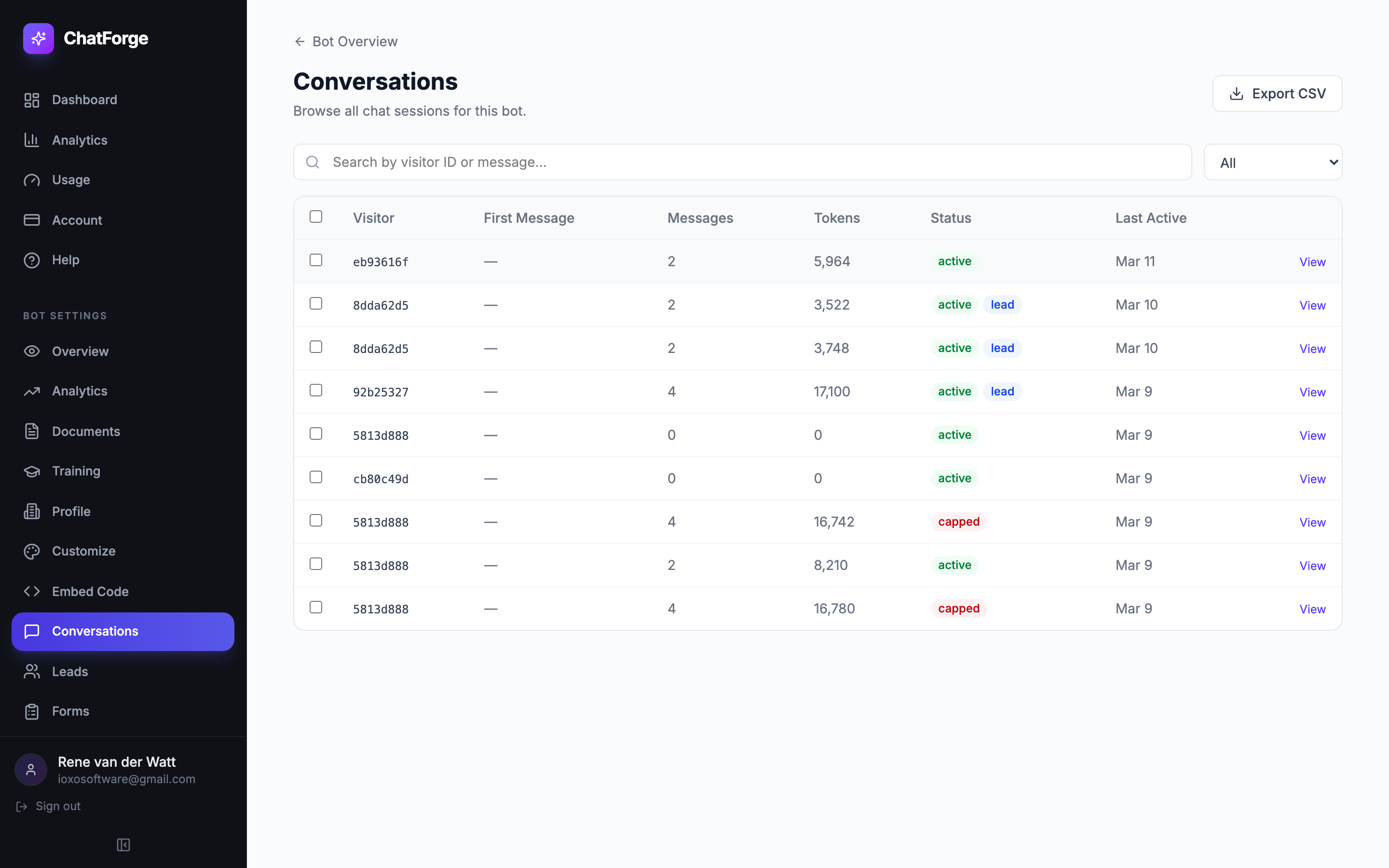
Conversations Inbox
Browse all chat sessions with search, status filters, date range, custom tags, multi-select bulk actions, and full transcript view with source citations.
Bot Cloning
One-click deep copy of any bot — config, Q&A pairs, documents, response rules, and capture forms. Deploy identical bots in seconds.
See ChatForge in Action
A powerful dashboard with everything you need to build, train, and manage your AI chatbots.
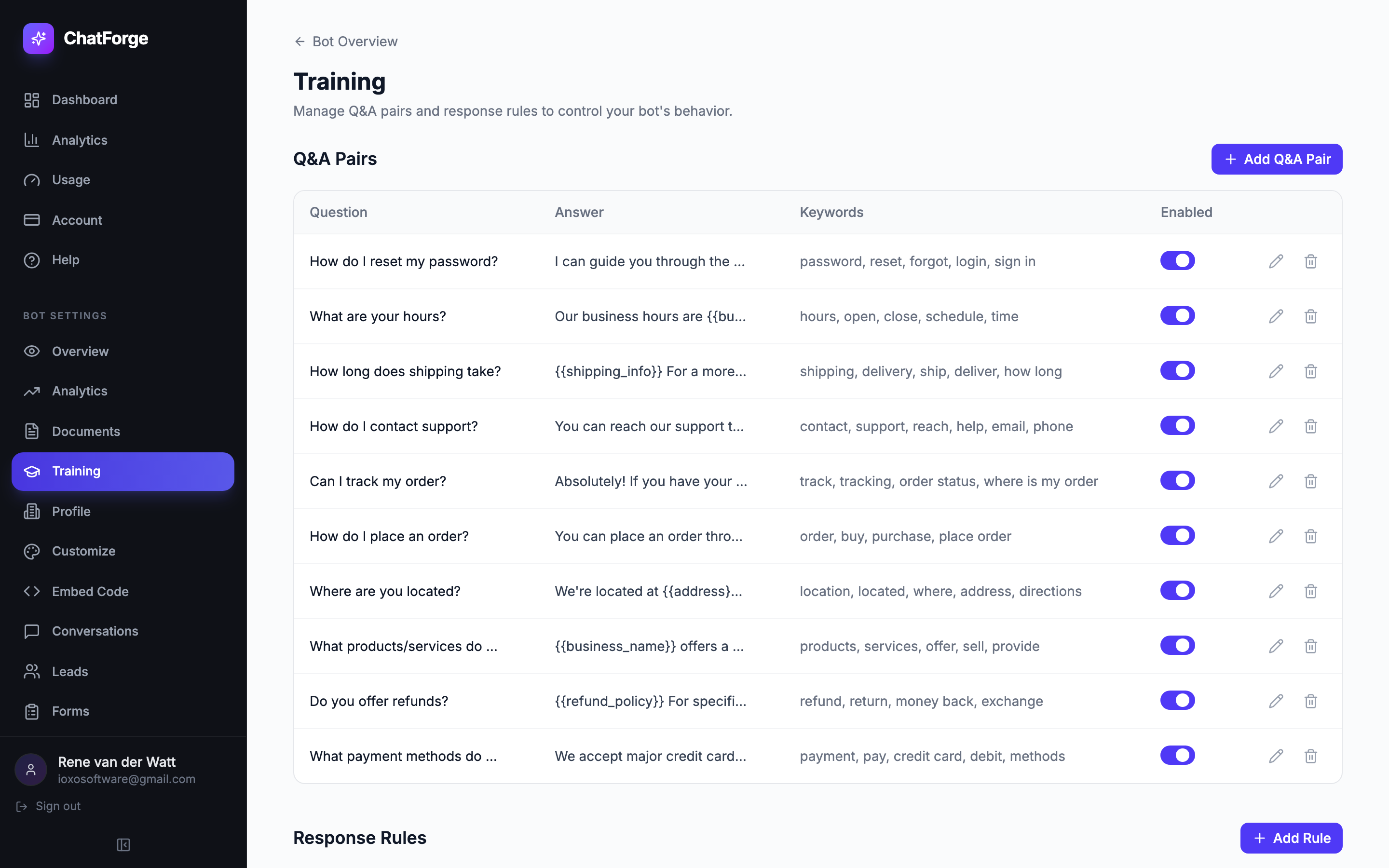
Bot Training
Define Q&A pairs with keywords and toggle them on or off — your bot learns exactly what you teach it
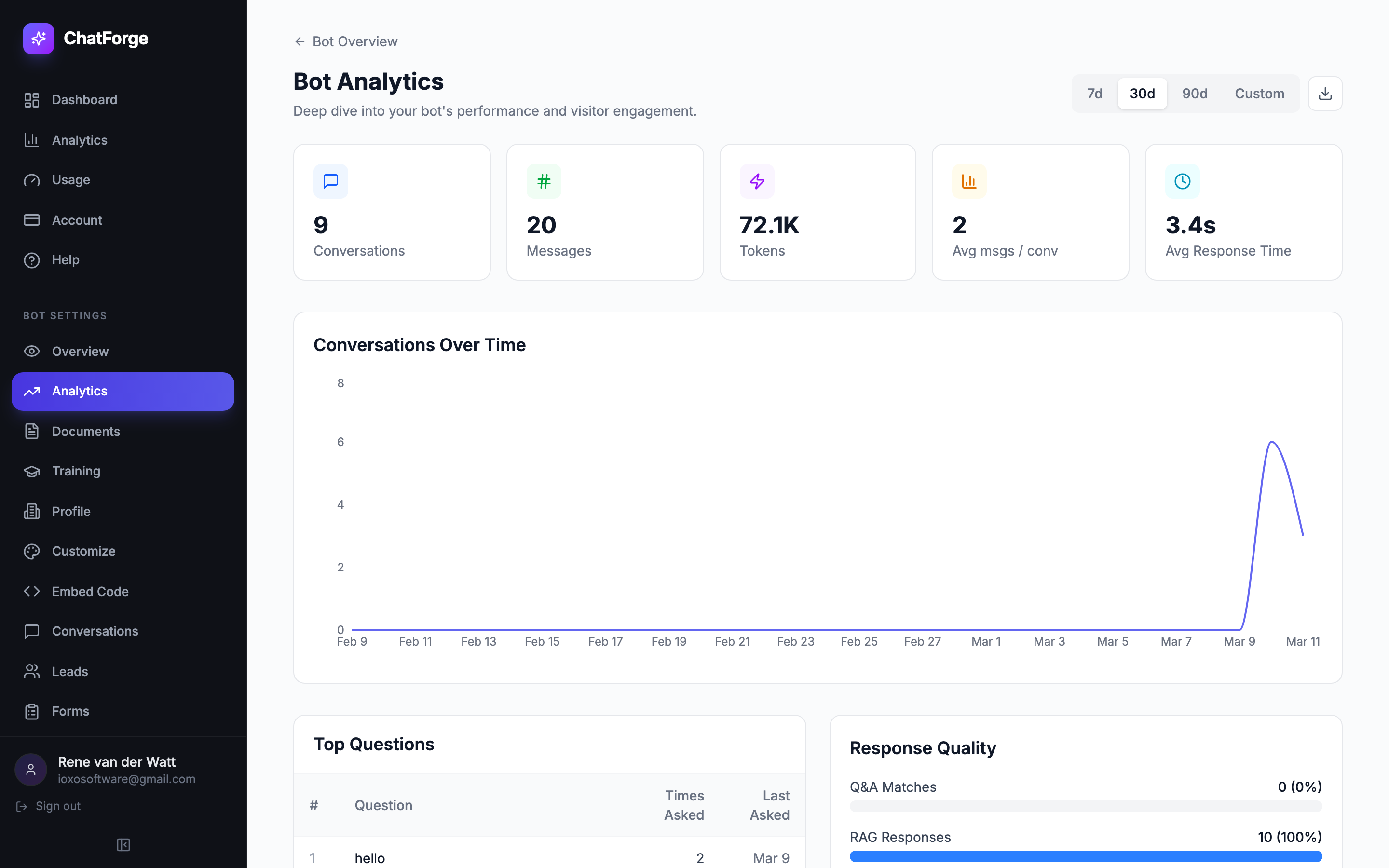
Analytics Dashboard
Track conversations over time, see top questions, and measure response quality at a glance
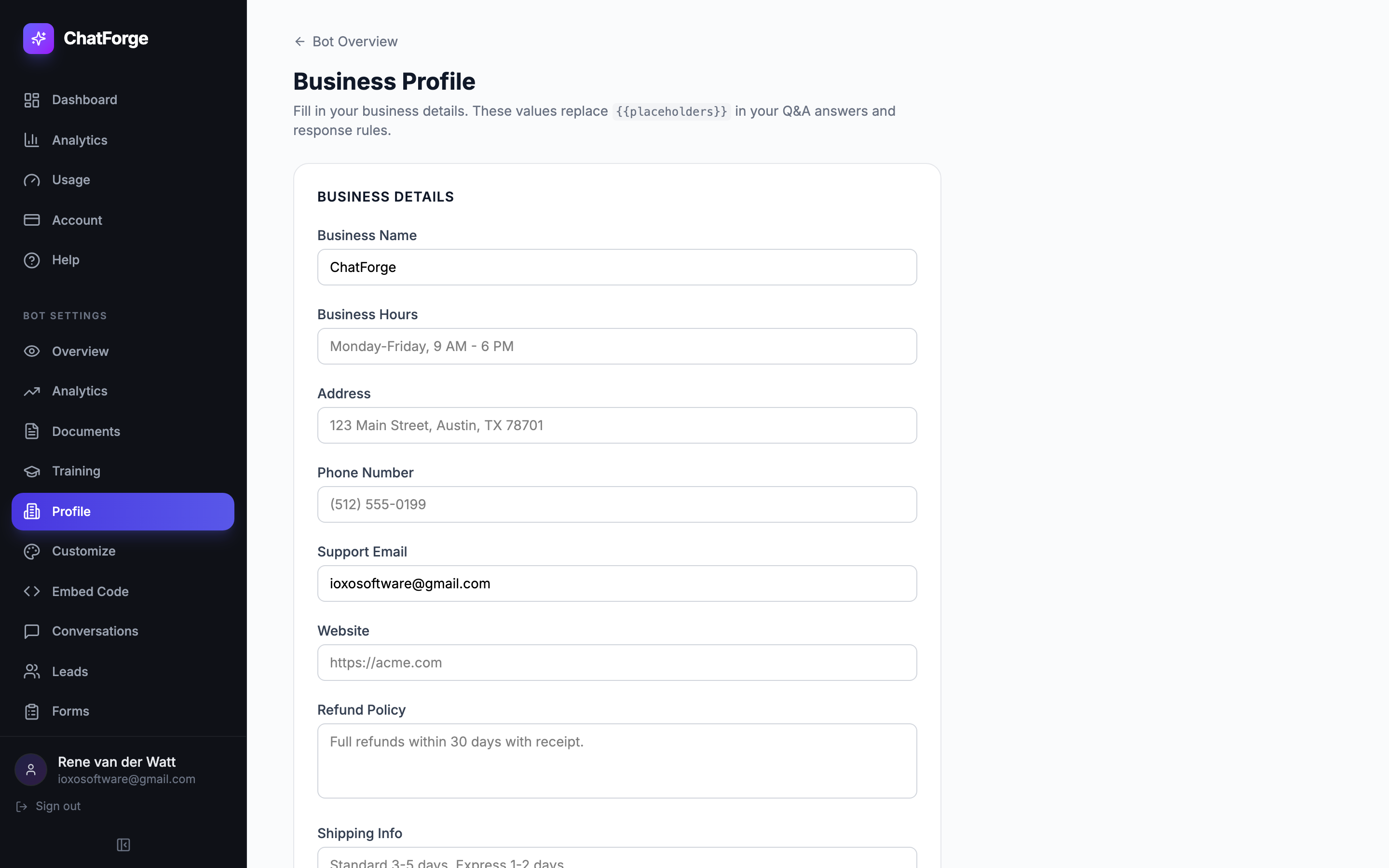
Business Profile
Fill in your business details once — every bot response is automatically personalized
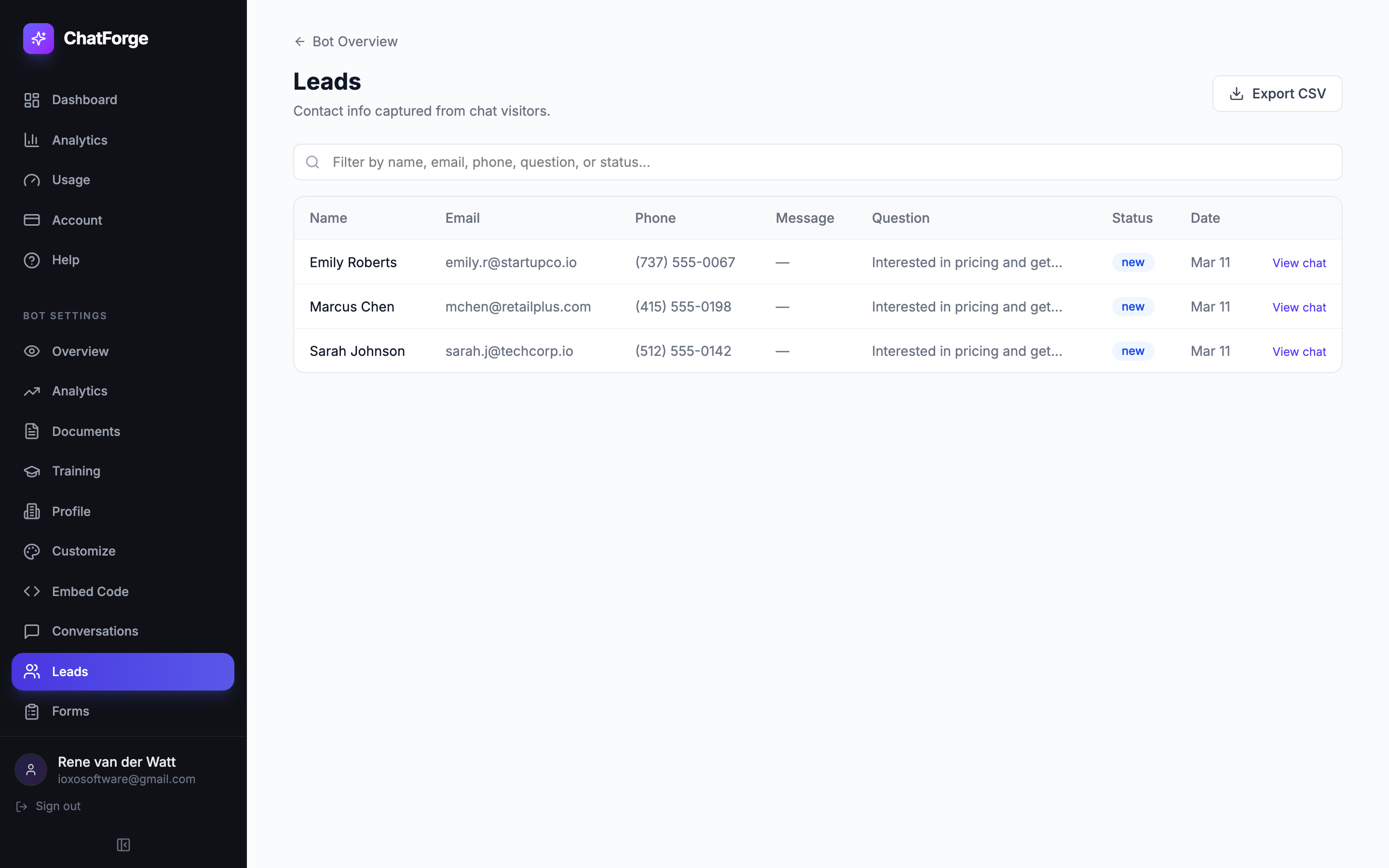
Lead Capture
Visitor contacts captured automatically with the question that triggered the lead
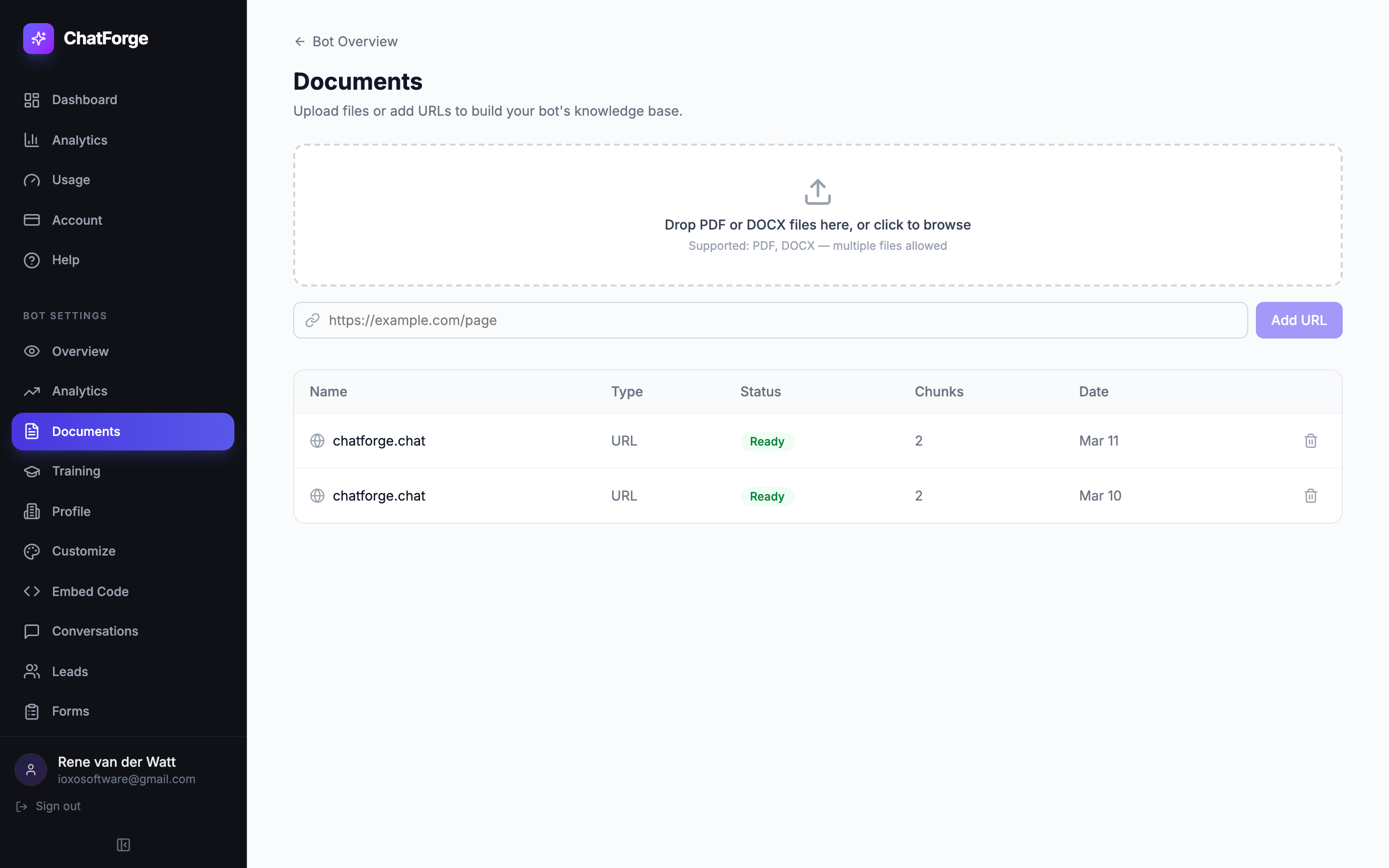
Documents & Knowledge Base
Upload PDFs, DOCX files, or add URLs — ChatForge indexes them for instant retrieval
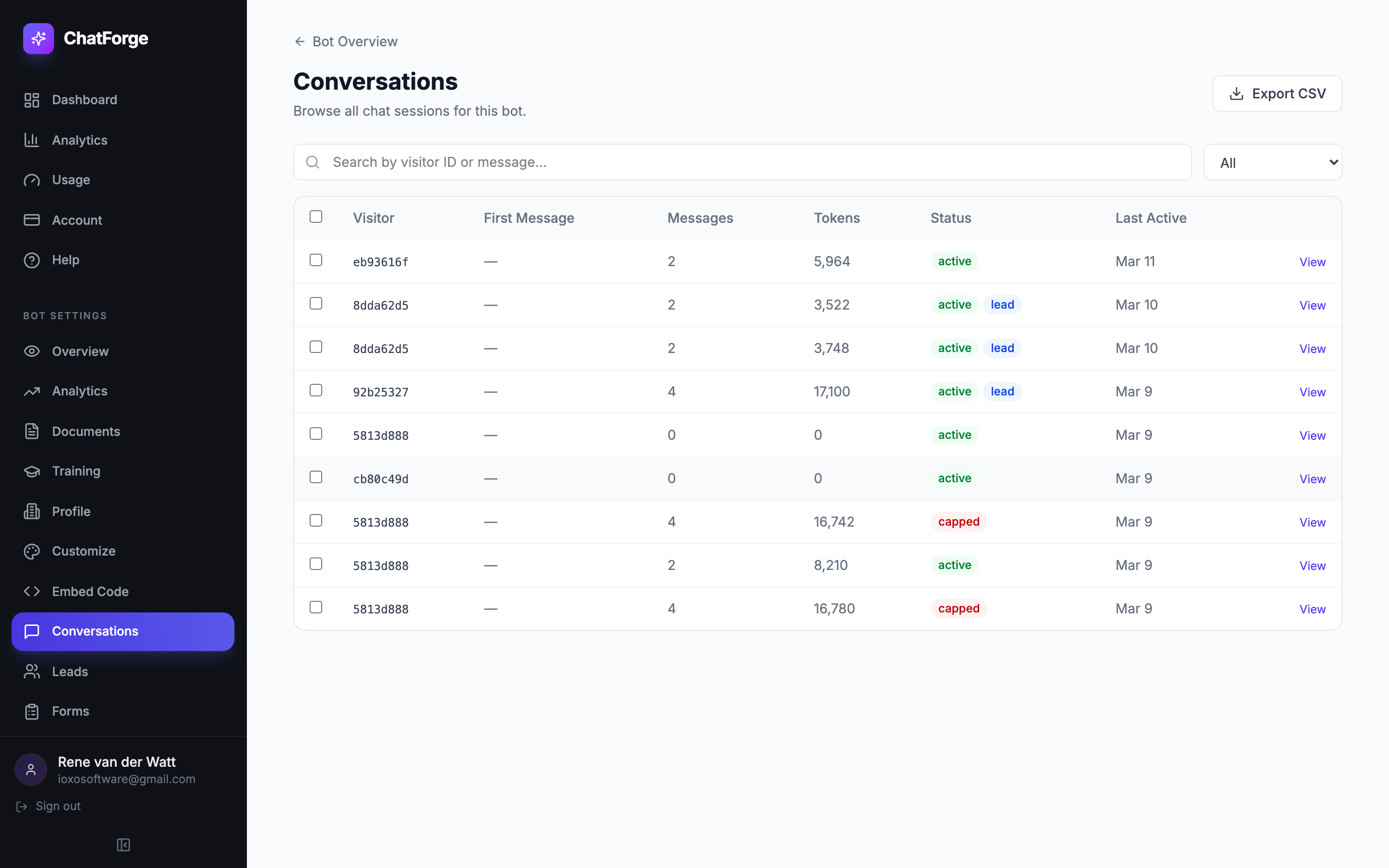
Conversations Inbox
Browse all chat sessions with search, status filters, multi-select, and full transcript view
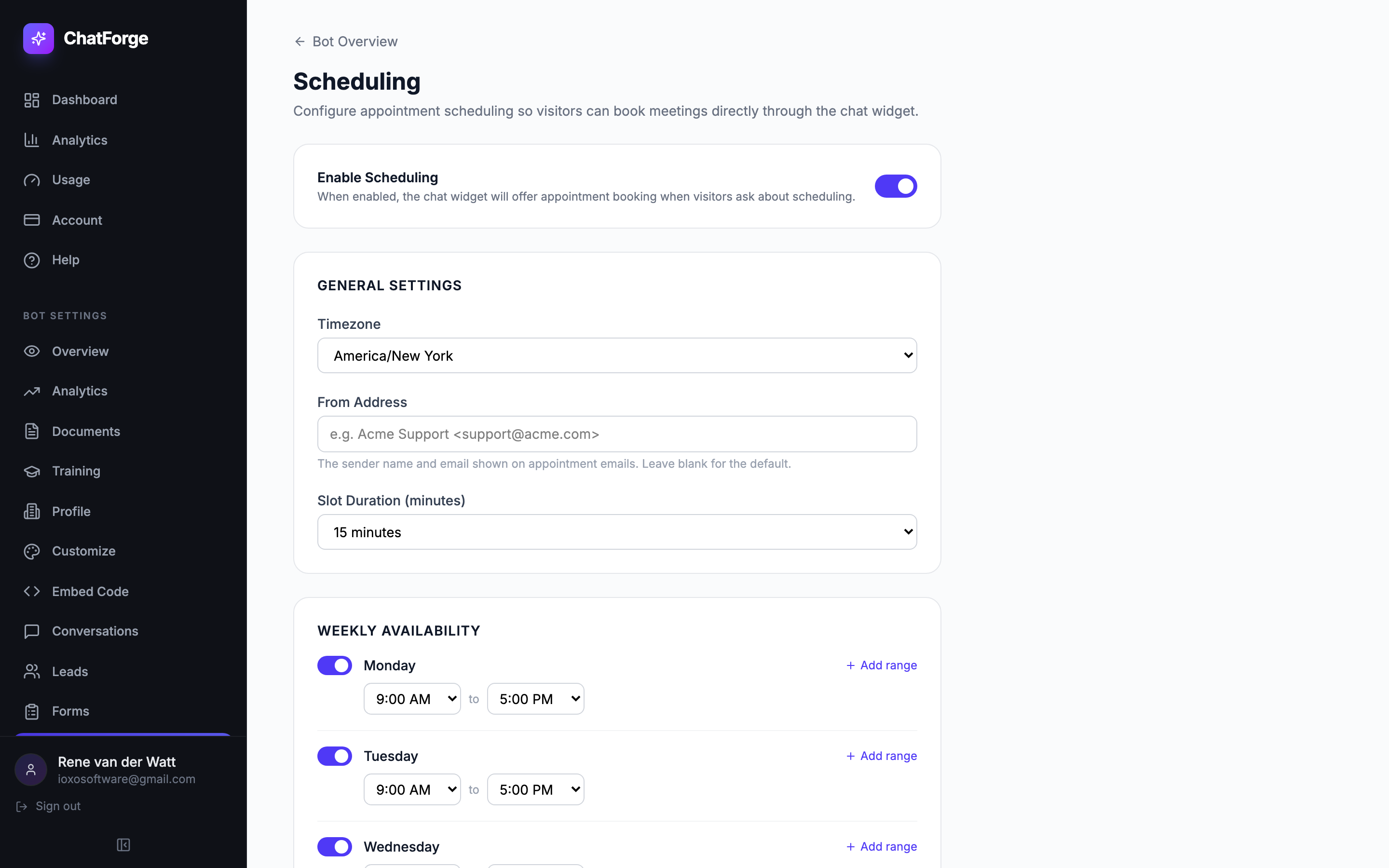
Scheduling
Configure timezone, slot duration, and weekly availability for in-chat appointment booking
Conversation Detail
View full chat transcripts with message bubbles, timestamps, token counts, and source citations

Capture Forms
Create and manage industry-specific forms that trigger automatically inside conversations
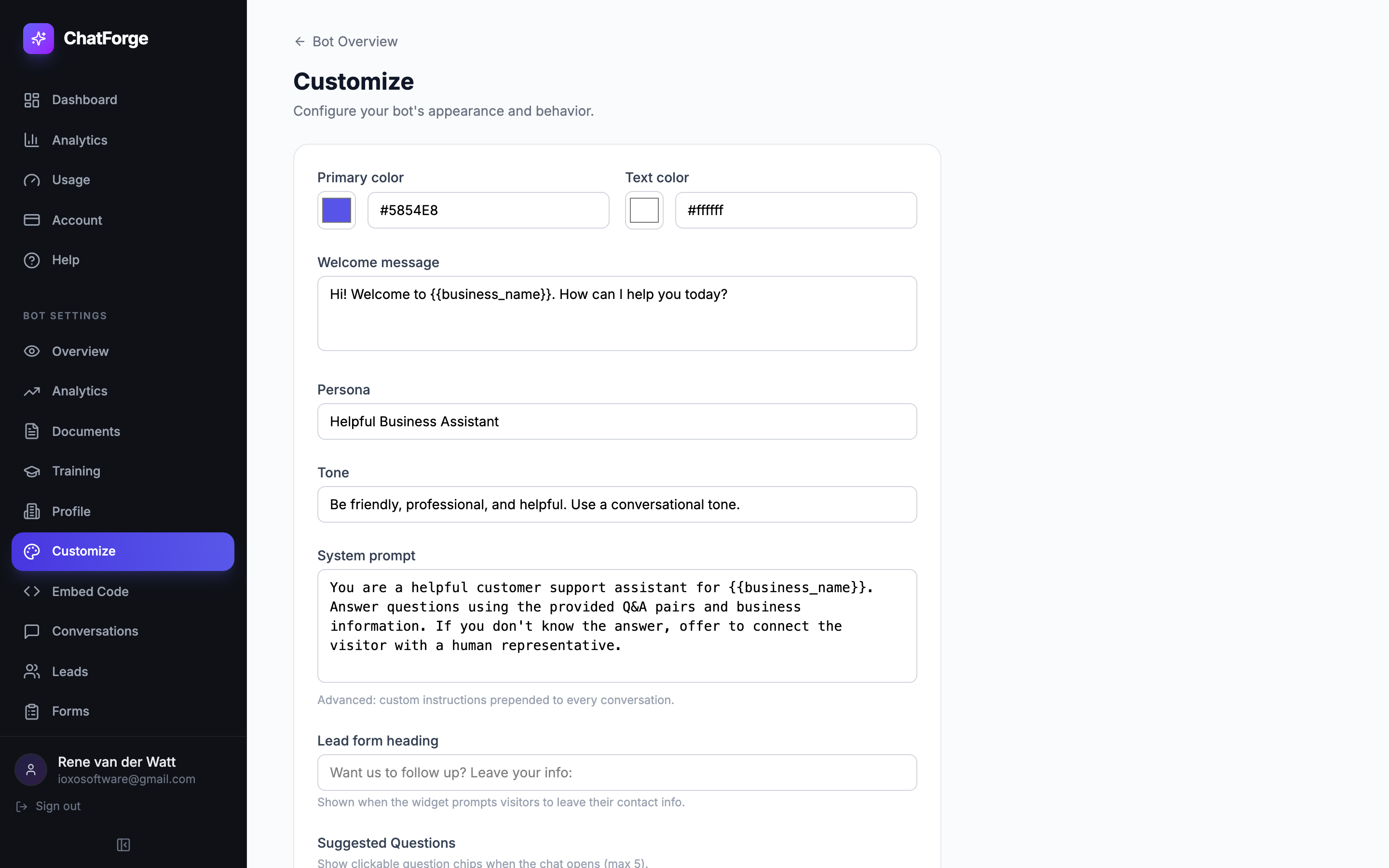
Widget Customization
Set theme (light/dark), upload a bot avatar and custom bubble icon, and configure colors to match your brand
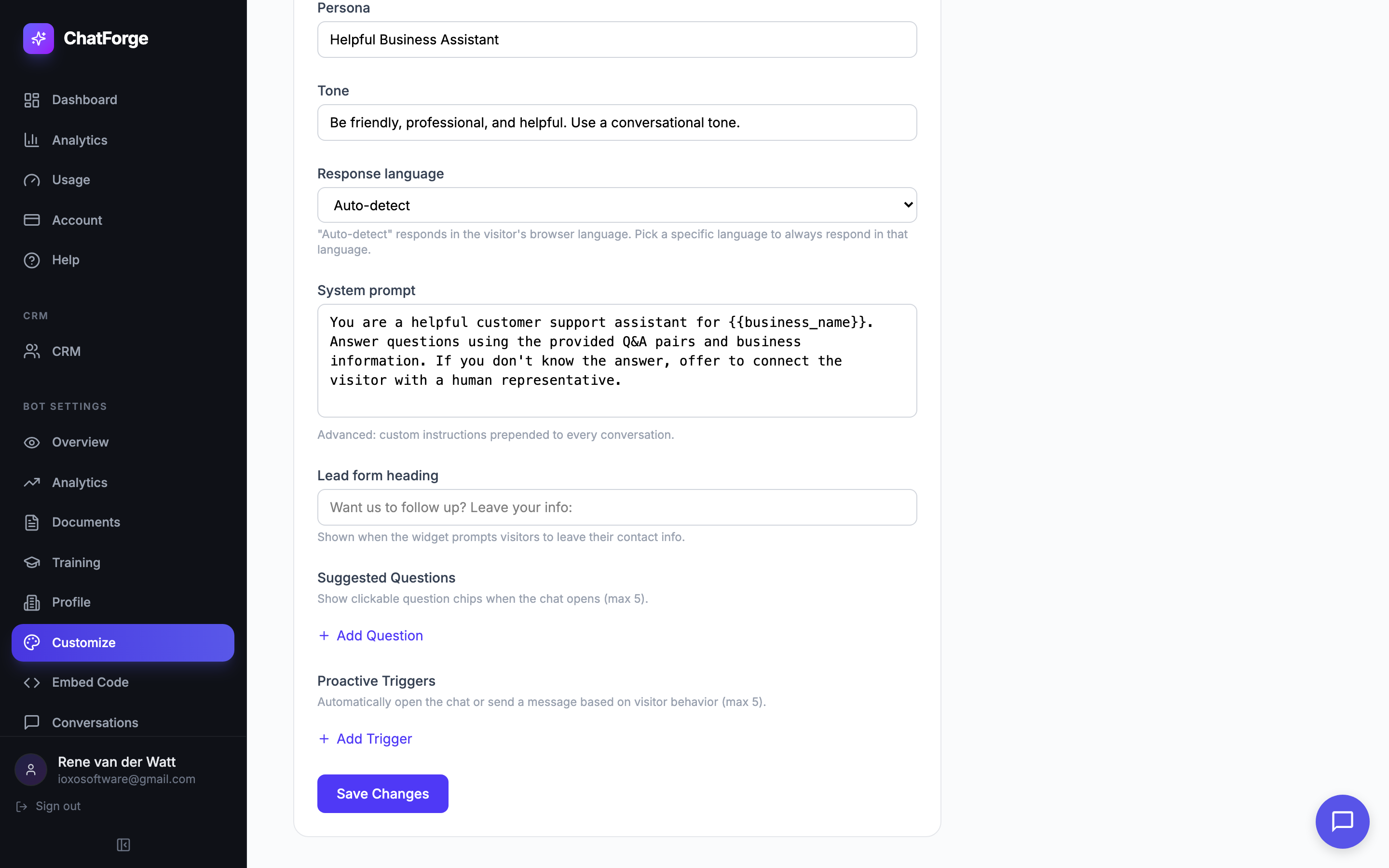
Multi-Language
Choose from 20 response languages or let ChatForge auto-detect the visitor's browser language
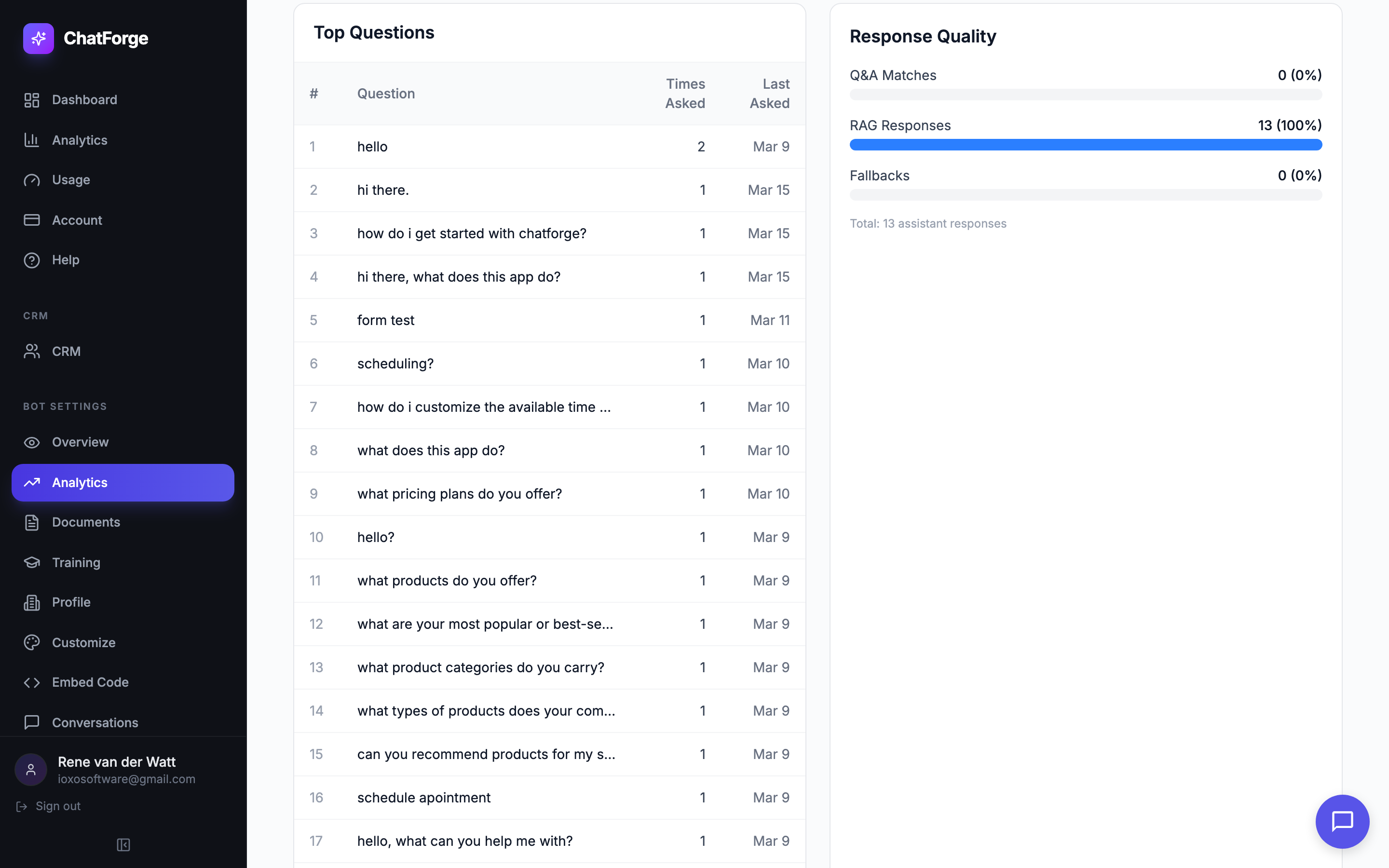
Response Quality
See top visitor questions and measure response quality — Q&A matches, RAG responses, and fallback rates
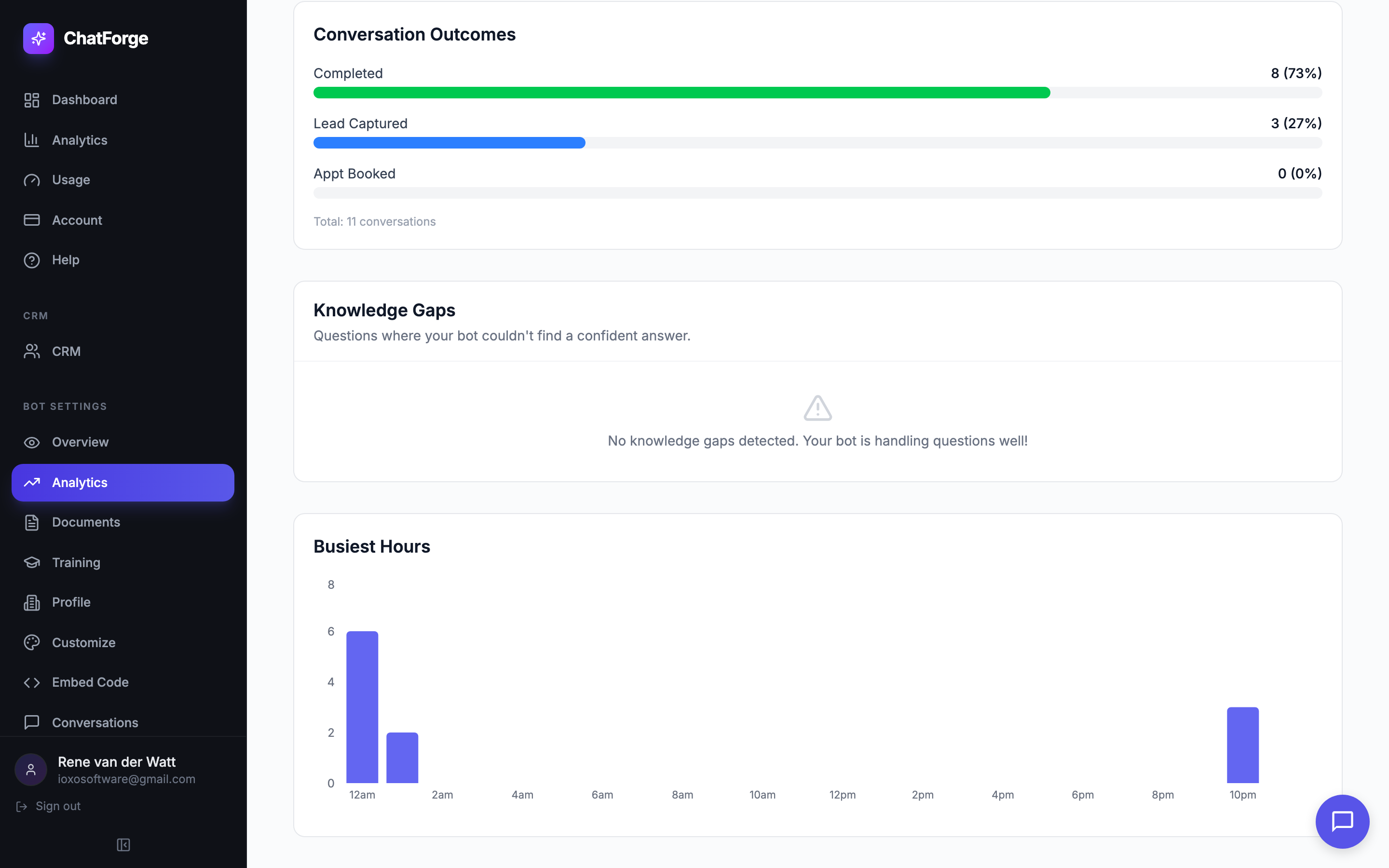
Knowledge Gaps & Outcomes
Track conversation outcomes, detect knowledge gaps, and see your busiest hours

Usage & Billing
Monitor plan consumption with real-time usage meters across all your bots
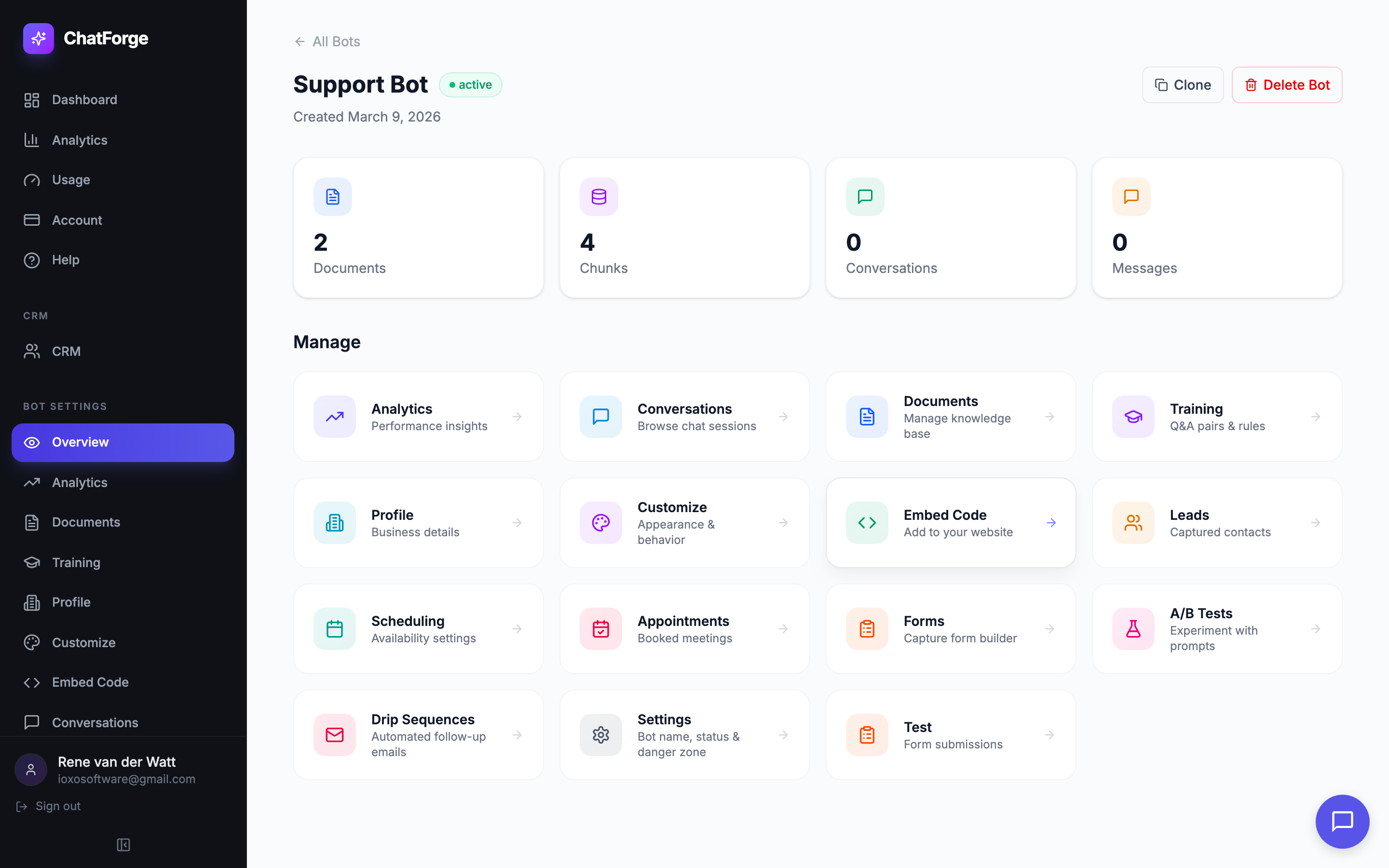
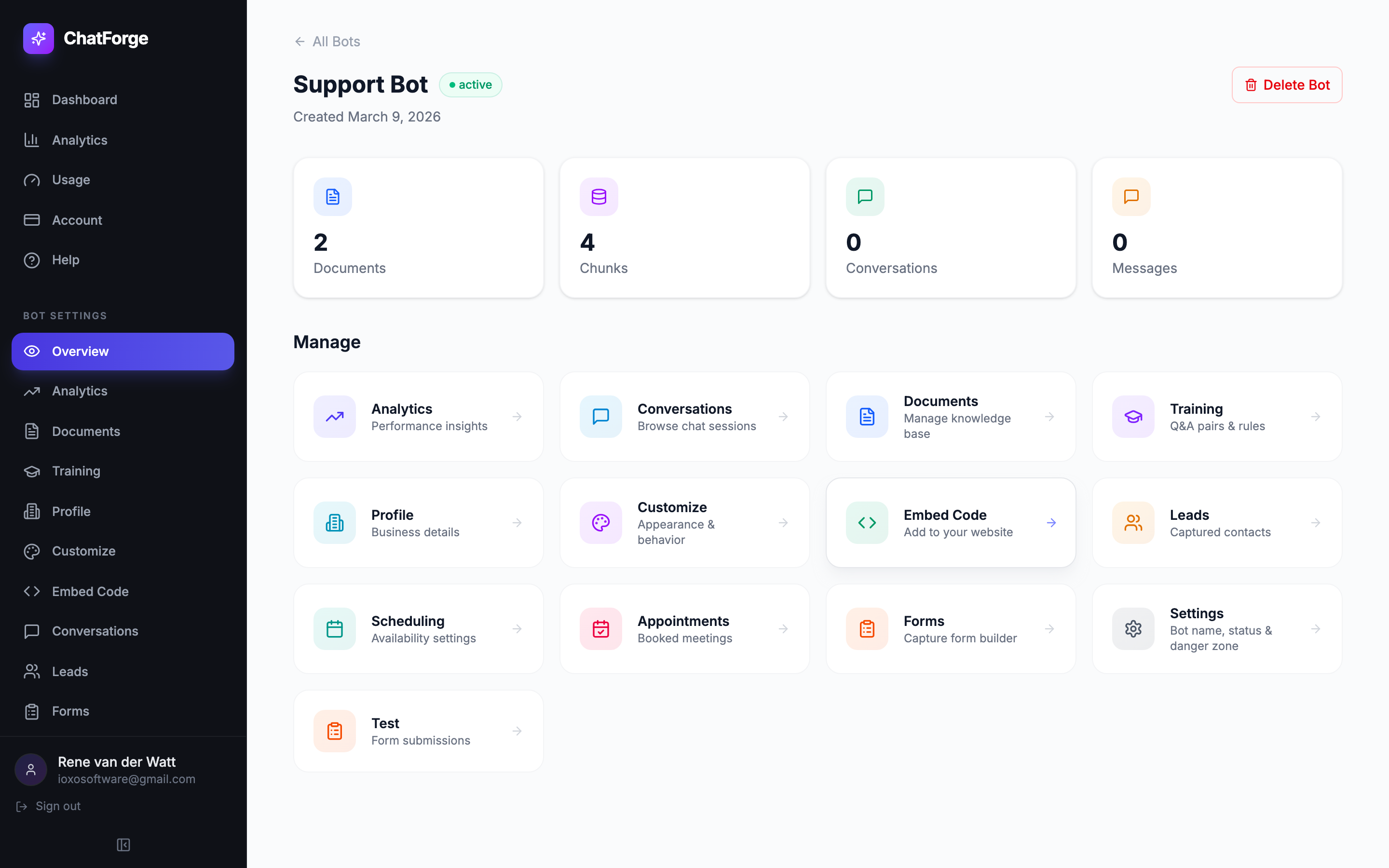
Bot Overview
See all your bot stats at a glance — documents, chunks, conversations, messages — with quick links to every feature
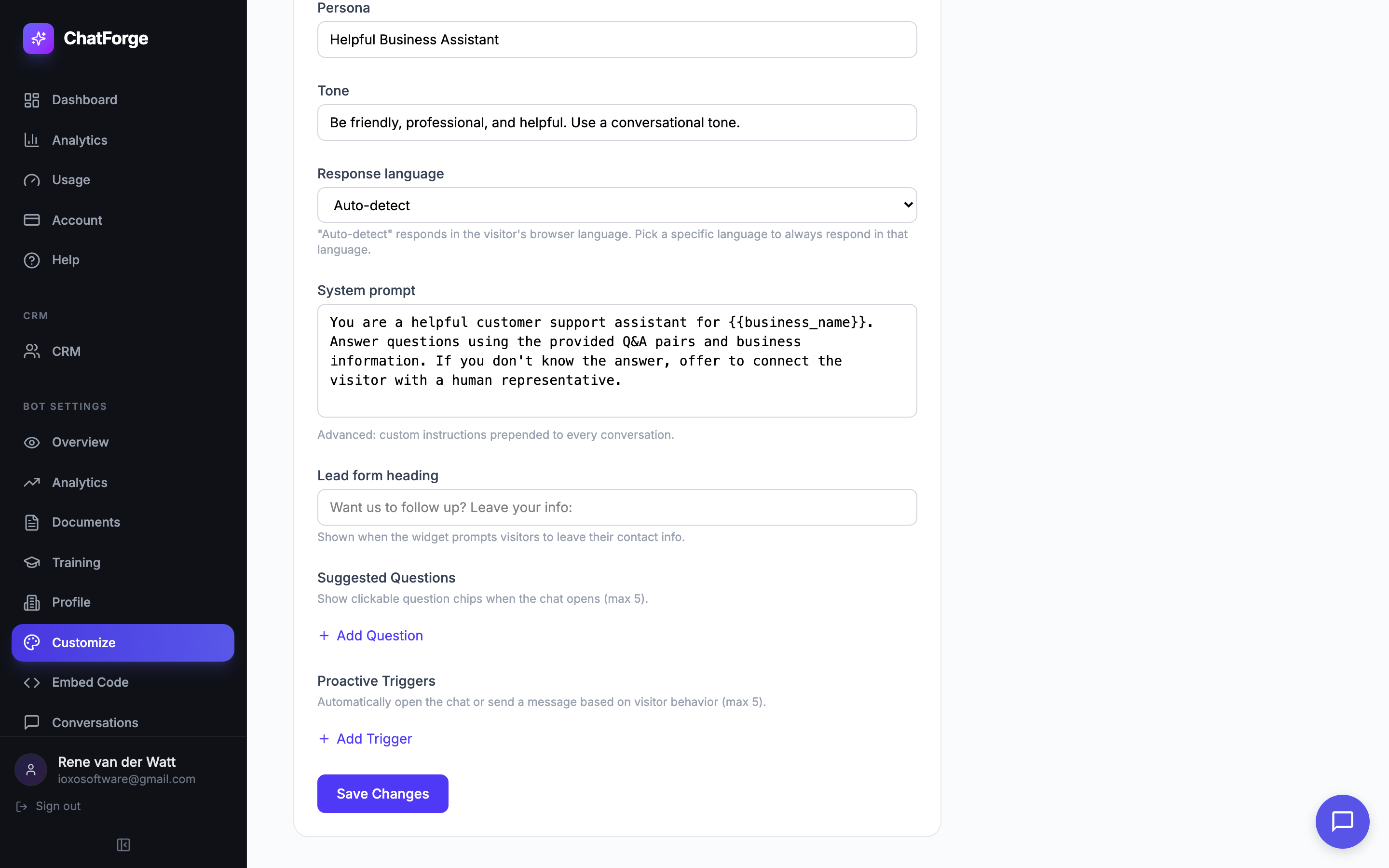
Proactive Triggers
Auto-open the chat based on time, scroll depth, exit intent, or URL pattern — engage visitors at the right moment
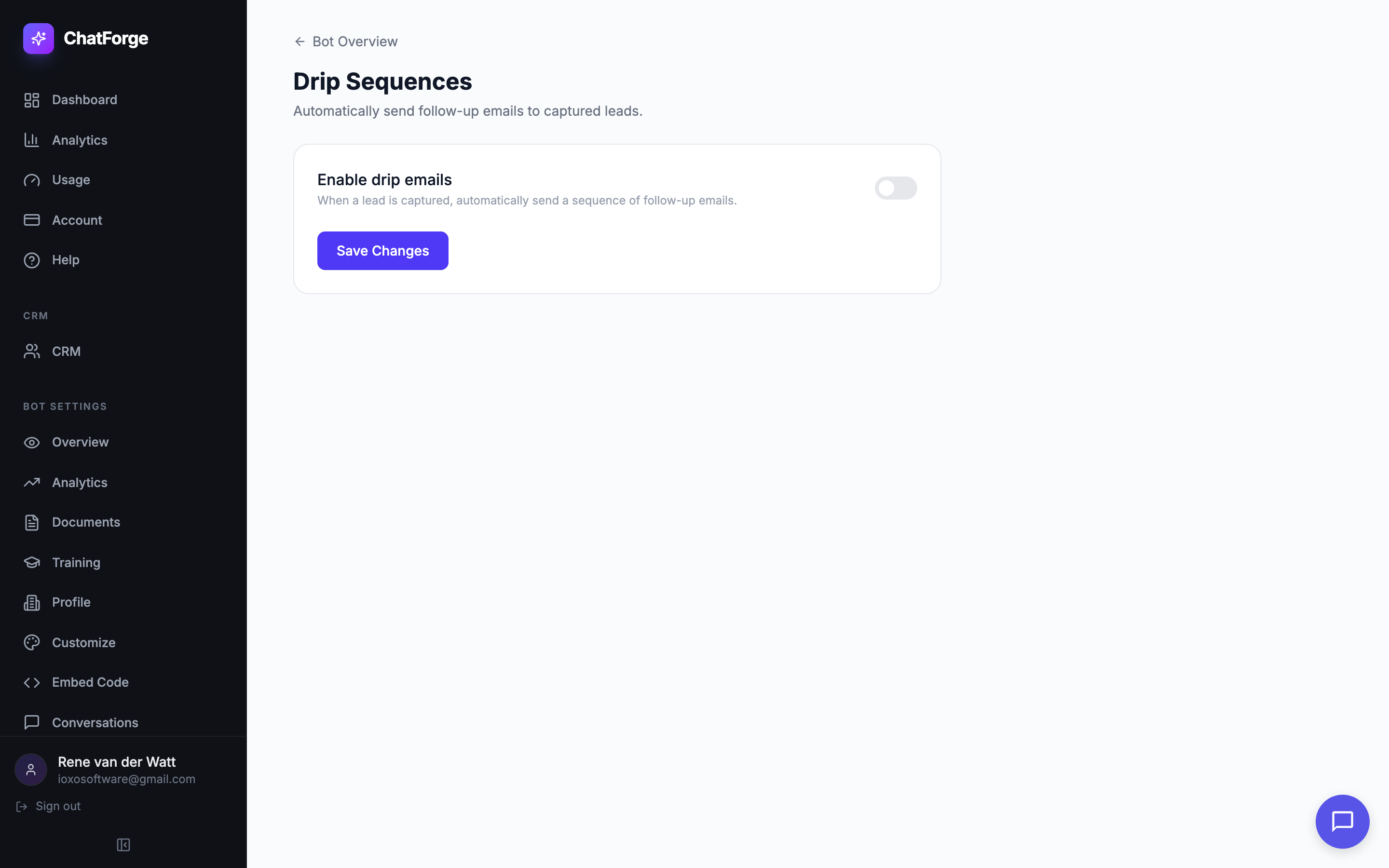
Drip Sequences
Automatically send follow-up emails to captured leads at configurable intervals with template variables
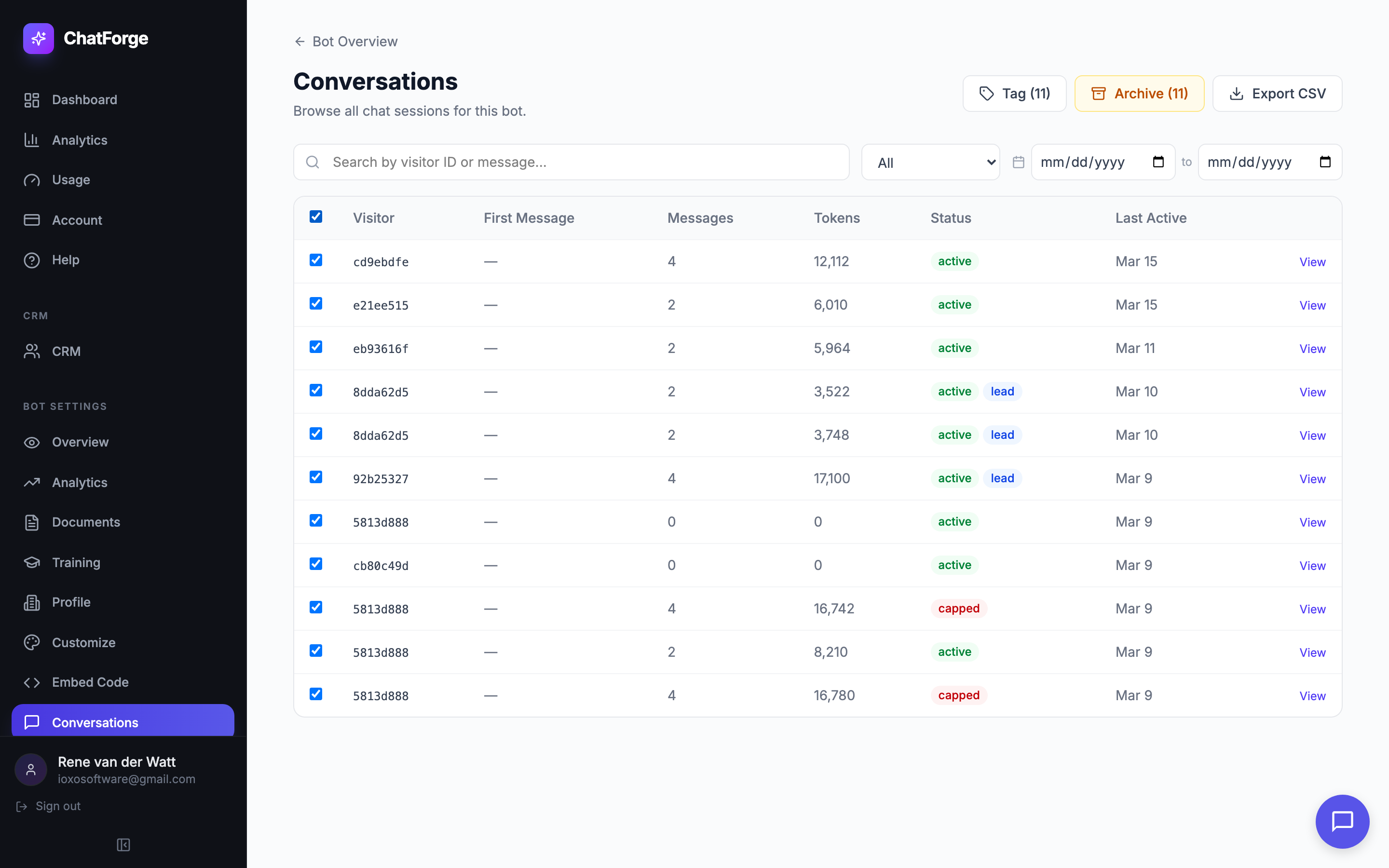
Bulk Actions
Select multiple conversations to tag or archive in bulk — plus date range filtering and CSV export
10K+
Conversations Handled
500+
Bots Deployed
99.9%
Uptime
< 2s
Avg Response Time
Ready to Build Your AI Chatbot?
Join hundreds of businesses using ChatForge to automate customer support, capture leads, and deliver instant answers.